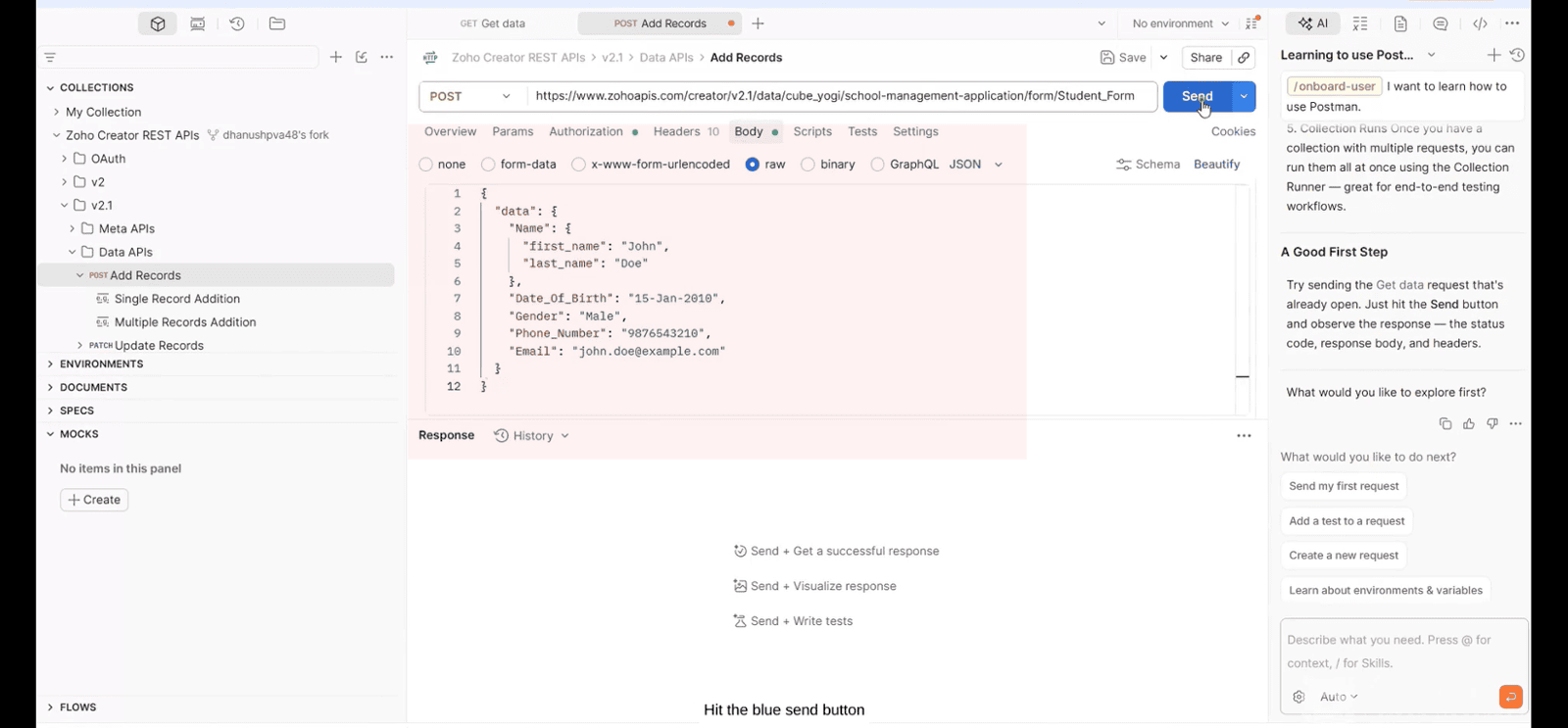
Zoho Creator API Collection In Postman
Here is our approach for using the official Zoho Creator API collection in Postman[cite: 9].
Even a non-technical person can easily set it up in just a few steps.
Approach
We can test and manage Zoho Creator APIs in Postman using the steps given below[cite: 9].
1.Fork the Official API Collection
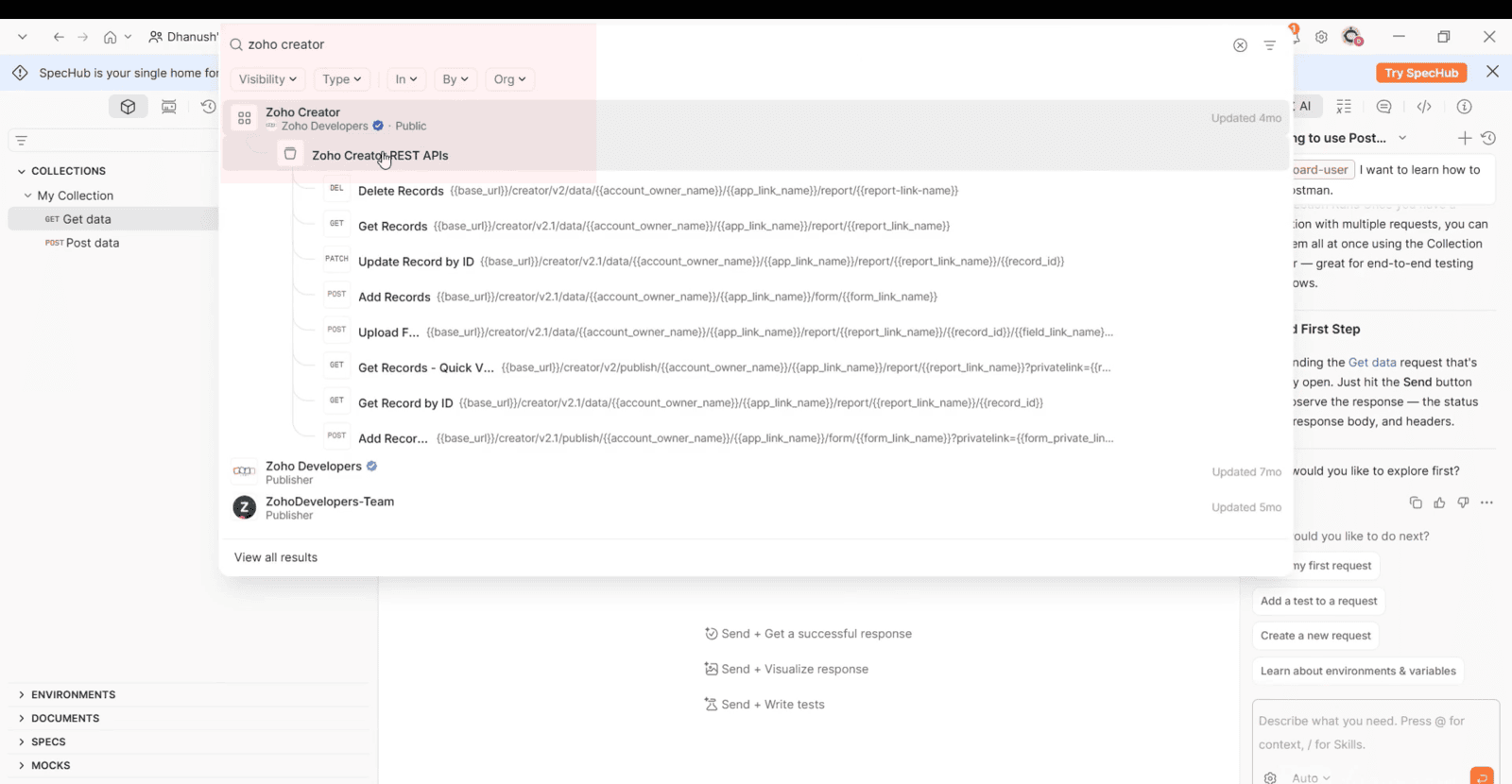
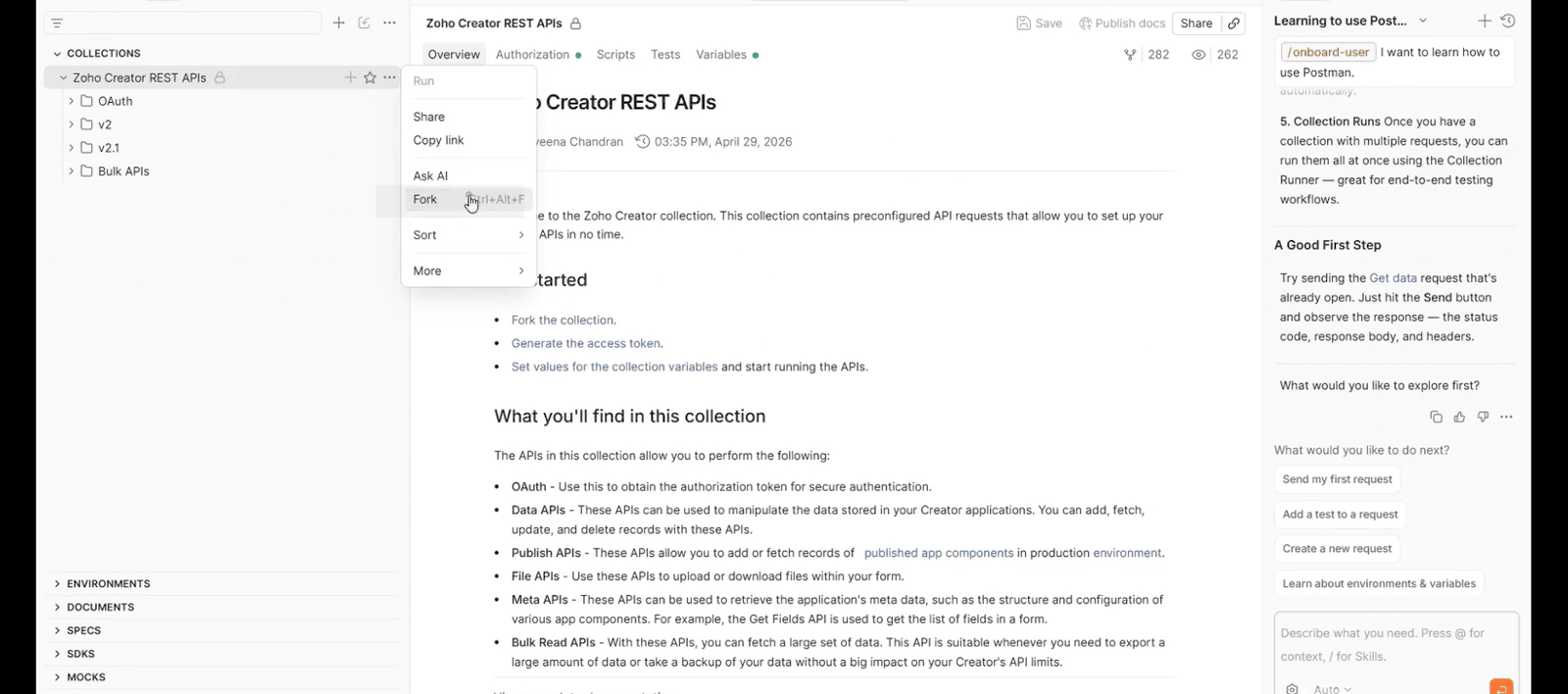
Open Postman, search for "Zoho Creator" in the top search bar, and locate the official Zoho Creator REST APIs collection published by Zoho Developers[cite: 9]. Click on the collection options menu, select **Fork**, name your fork label, and click **Fork Collection** to create a local copy on your active workspace[cite: 9].
2.Configure API Request and Authentication
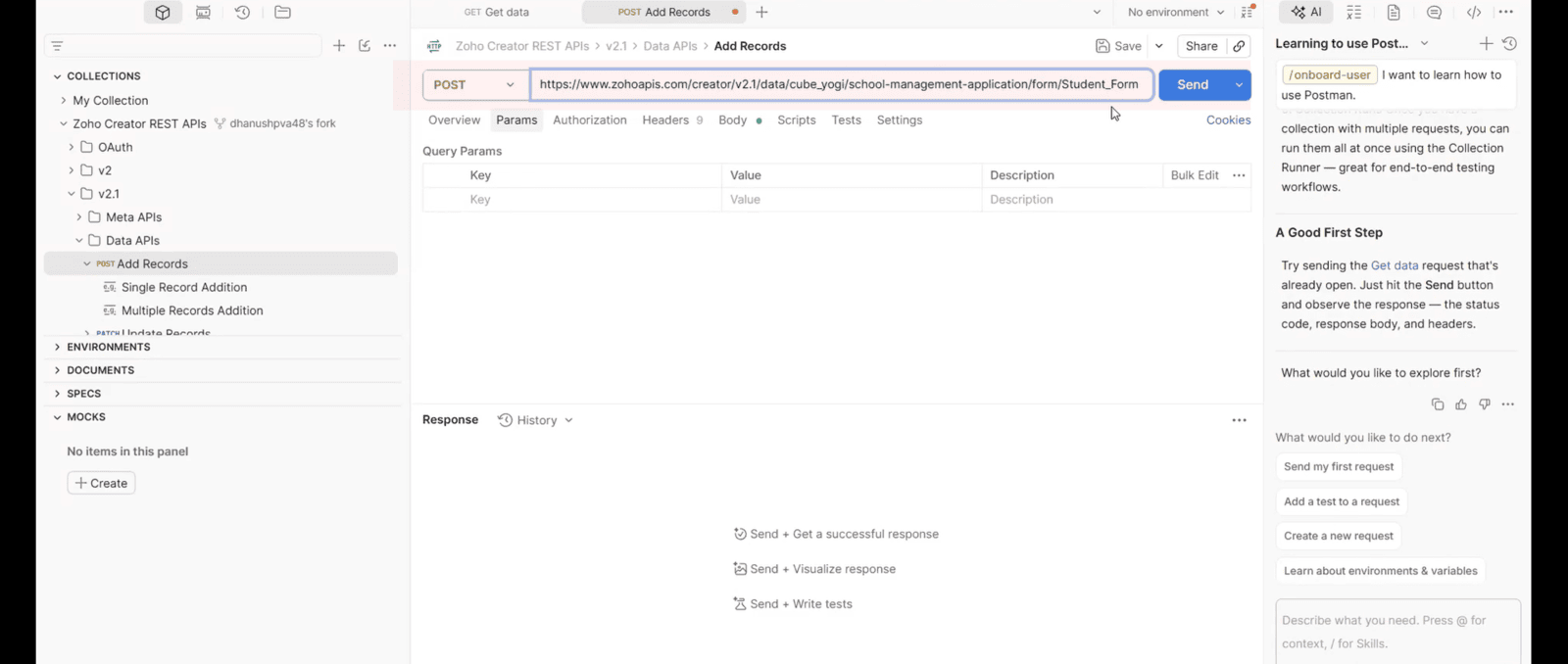
Once forked, open the version 2.1 directory, go to **Data APIs**, and select **Add Records**[cite: 9]. Replace the template placeholders in the request URL with your actual Zoho Creator endpoint, specifying your account owner name, application link name, and form link name[cite: 9]. Then, navigate to the **Authorization** tab, select **OAuth 2.0**, and click **Authorize** to log in[cite: 9].
3.Set Body Payload and Send Request
Switch to the **Body** tab, set the format to **raw JSON**, and enter your field mapping payload data[cite: 9]. Finally, hit the blue **Send** button to receive a 200 OK status code with a success response confirming the record has been added[cite: 9].